

Everyone has been talking lately about AI SEO, GEO, and LLMs, and how to rank, and so on.
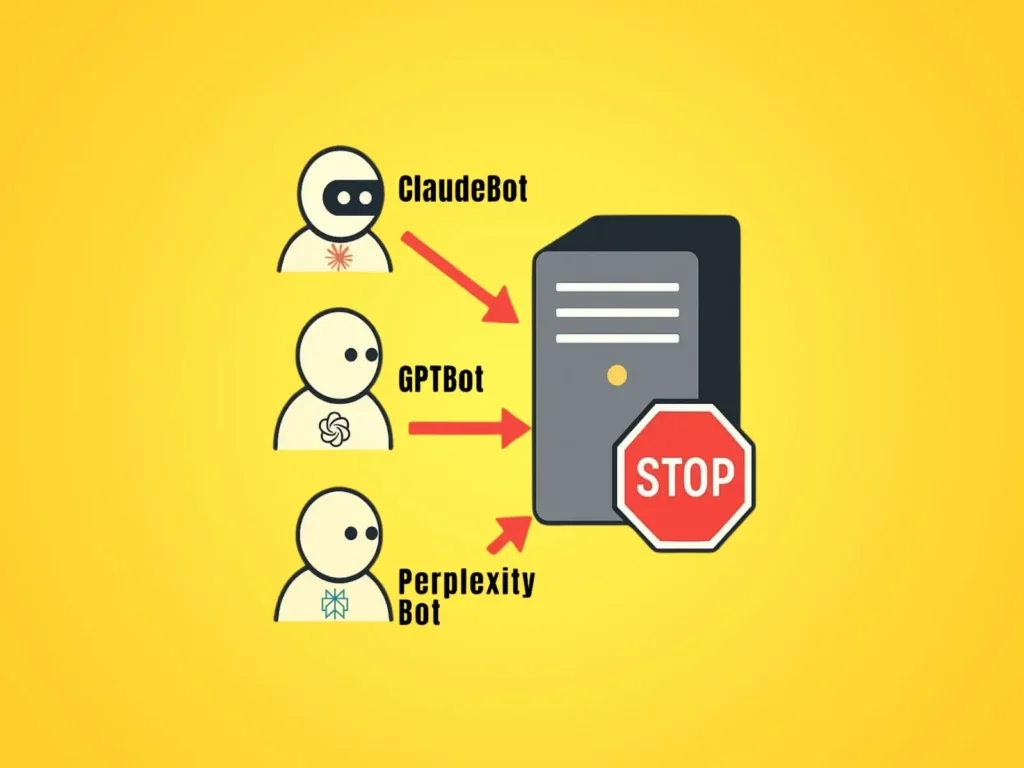
But one very important fact is often overlooked: the biggest issue right now for websites, when it comes to indexing and being processed by LLMs (Large Language Models), is not about optimization. The real problem is that LLMs simply cannot “see” most websites.
Table of Contents
Why AI Crawlers Can’t Access Many Websites
This happens because, although we in the SEO world are keeping up with trends, in this case with AI and LLMs, some web hosting providers have unfortunately remained stuck in the “Middle Ages” when it comes to AI.
Even at the time of writing this article, they are still blocking AI bots in the same way they block aggressive, invasive bots such as MJ12bot, SemrushBot, LinkpadBot (the typical bots used by SEO and online marketing tools).
How to Check if Your Server is Blocking LLM and AI Bots
First, we need to identify which LLM bots are relevant at the moment.
Among the most relevant bots currently are:
- OpenAI bots (GPTBot, ChatGPT-User & OAI-SearchBot)
- Perplexity (PerplexityBot, Perplexity-User)
- Anthropic (ClaudeBot, Claude-User, Claude-SearchBot)
Practical Methods to Test Whether Bots Are Being Blocked
Method 1: Using Screaming Frog to Test AI Bot Access
This is the simplest method. You just need a Screaming Frog license, and in Configuration > User Agent, you can select the bot you want to check to see whether your site (or server) is blocking it:
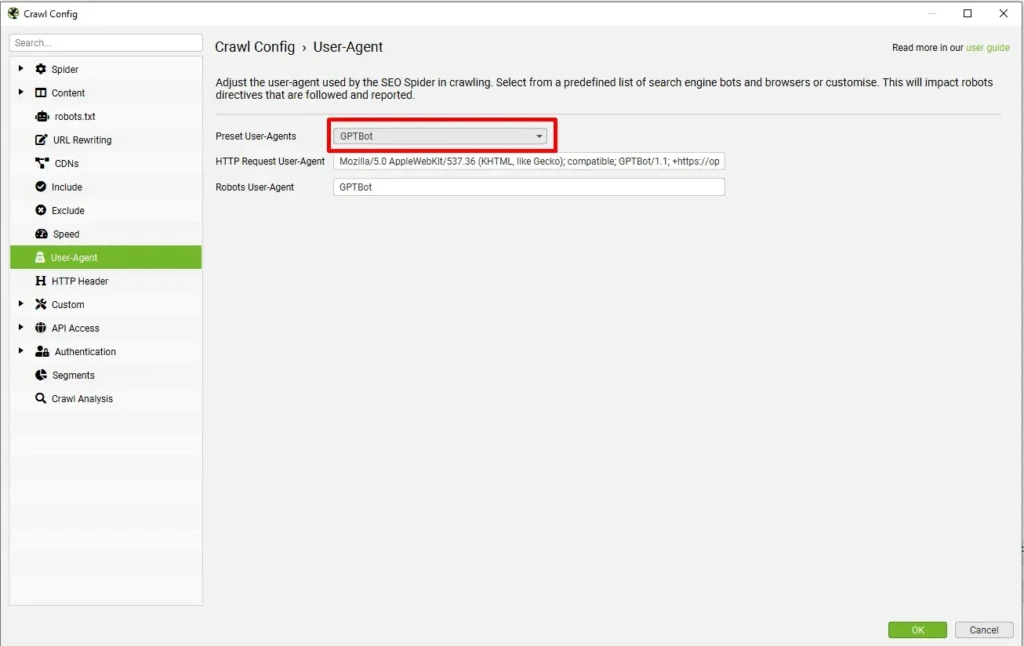
If you receive a 406 error message, it means the server is blocking the ChatGPT bot from crawling your site.

If the bot starts crawling your site and returns status 200 for the pages it visits, that means the server is not blocking GPTBot.
Here I’ll make a quick note regarding what OpenAI states on its official site: their three main bots (GPTBot, OAI-SearchBot, and ChatGPT-User) each have different roles.
Specifically:
- GPTBot – is used for training AI models (OpenAI states it does not affect appearance in search results).
- OAI-SearchBot – is used for indexing for ChatGPT Search. This is theoretically the most important if you want your site to be crawled, processed, and shown as a source in ChatGPT.
- ChatGPT-User – this bot needs actual access when users click on links or perform live requests, such as “check if there are blue balloons on website.com”. If this bot is blocked, GPT won’t be able to visit the page.
As for the other bots, Claude and Perplexity, you can check them in Screaming Frog in the same way as OpenAI’s bots.
Method 2: Testing AI Bots with curl (HEAD Request)
This method is more direct and doesn’t require any special software. Open either the Mac Terminal or Windows Command Prompt and run the following header checks for each bot:
OpenAI – GPTBot
curl -I --ssl-no-revoke -A "Mozilla/5.0 AppleWebKit/537.36 (KHTML, like Gecko); compatible; GPTBot/1.1; +https://openai.com/gptbot" https://example.comOAI-SearchBot
curl -I --ssl-no-revoke -A "Mozilla/5.0 AppleWebKit/537.36 (KHTML, like Gecko); compatible; OAI-SearchBot/1.0; +https://openai.com/searchbot" https://example.comChatGPT-User
curl -I --ssl-no-revoke -A "Mozilla/5.0 AppleWebKit/537.36 (KHTML, like Gecko); compatible; ChatGPT-User/1.0; +https://openai.com/bot" https://example.comPerplexityBot
curl -I --ssl-no-revoke -A "Mozilla/5.0 (compatible; PerplexityBot/1.0; +https://www.perplexity.ai/bot)" https://example.comPerplexity-User
curl -I --ssl-no-revoke -A "Mozilla/5.0 AppleWebKit/537.36 (KHTML, like Gecko); compatible; Perplexity-User/1.0; +https://perplexity.ai/perplexity-user" https://example.comClaudeBot
curl -I --ssl-no-revoke -A "Mozilla/5.0 (compatible; ClaudeBot/1.0; +https://www.anthropic.com/claude)" https://example.comClaude-User
curl -I --ssl-no-revoke -A "Mozilla/5.0 (compatible; Claude-User/1.0; +https://www.anthropic.com/claude)" https://example.comClaude-SearchBot
curl -I --ssl-no-revoke -A "Mozilla/5.0 (compatible; Claude-SearchBot/1.0; +https://www.anthropic.com/claude)" https://example.comTo understand what this curl command does and where this information comes from: there’s no magic or hack involved.
The major companies behind these bots (OpenAI, Anthropic, Perplexity, etc.) publicly provide all the information about their crawlers, including their full user-agent strings, exactly as they appear in the HTTP headers of real requests.
If you’re wondering about the “revoke” part, the –ssl-no-revoke flag is included because some Windows versions throw SSL errors when they cannot check the certificate’s revocation status.
Case Study: Real Bot Access Test on VladSand.com
OAI-SearchBot gets through (status 200):

As you can see, the GPT crawler that indexes content has access and returns a 200 status.
ChatGPT-User (status 406) – blocked, unfortunately, in my case:

ChatGPT-User is blocked by the server, by the hosting company (I’m currently in a battle with them to explain why it needs to be unblocked), but hopefully they will eventually fix this.
How to Unblock AI and LLM Bots on Your Website
If you’re using shared hosting (like most websites), the only way to unblock these bots is to contact your hosting provider and ask them to whitelist the relevant User-Agents or IP ranges. Fortunately, this is usually a quick fix once they understand the issue.
Most major AI companies also publish their official IP ranges, which can be useful if your firewall or hosting provider uses IP-based filtering. Here are the official resources:
GPTBot: https://openai.com/gptbot.json
OAI-SearchBot: https://openai.com/searchbot.json
ChatGPT-User: https://openai.com/chatgpt-user.json
PerplexityBot: https://www.perplexity.ai/perplexitybot.json
Perplexity-User: https://www.perplexity.ai/perplexity-user.json
*Anthropic (Claude) has not provided official details about the IP ranges it uses.
If you’re on a dedicated server or VPS, you can manually adjust the server configuration, for example, by adding specific ModSecurity rules or firewall exceptions to explicitly allow AI crawlers.
Other Common Reasons AI Bots Are Blocked
Here I focused on blocking at the server level, because in most cases this is where access for these bots is cut off. However, they can also be blocked in other ways, sometimes without you even realizing it:
- through the robots.txt file
- through external firewalls (Cloudflare, Wordfence, etc.)
- through security plugins
- or implicitly through IP blocking (if your hosting provider blocks certain countries, the IPs of OpenAI / Perplexity / Anthropic may be rejected even if the User-Agent is valid)