

In this article, I will explore a topic that is very rarely addressed by SEO specialists: how to properly guide pattern content so that search engines are not misled and can better understand a site’s infrastructure. This can be done using a very simple method.
Table of Contents
What Is Pattern Content (Pattern Navigation)?
Here, I’m referring to the fact that there are repetitive internal anchors within a site that use internal linking, but have different URLs behind them.
Examples of such areas include:
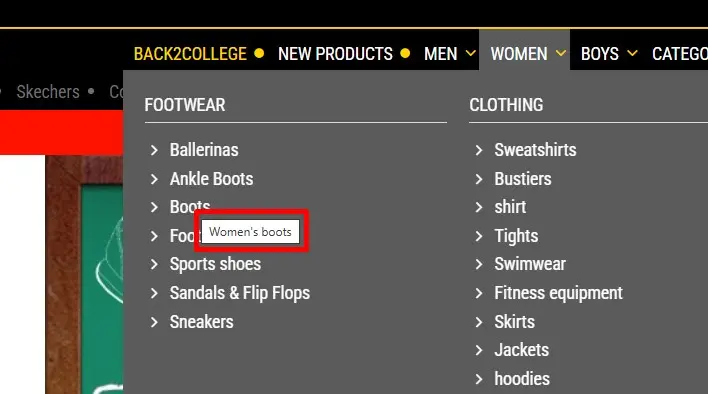
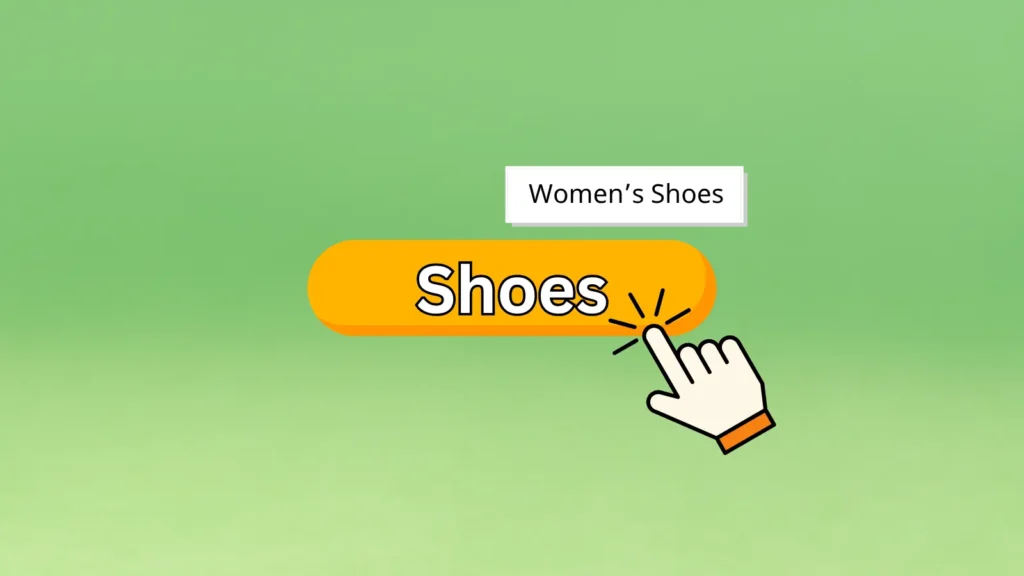
- Menu areas, where we have the same words but different categories (in the case of e-commerce), for example: “Shoes”, “Jackets”, but the links point to different URLs:
example.com/women-shoes/
example.com/men-shoes/
example.com/kids-shoes/
etc.
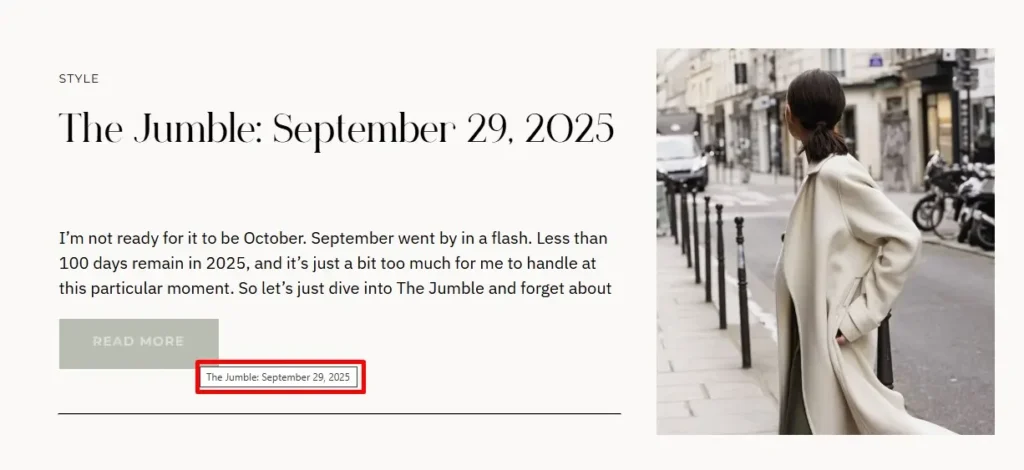
- “Read More” buttons, which are mostly found in article sections, but also appear in various areas throughout the site. Just like in the case of menu items with identical names, these buttons have different URLs behind them but use the same anchor text: “Read More”.
Why Repetitive Anchors Can Confuse Search Engines
At first glance, most people would say: “Why would that be a problem? The links are always pointing to different pages anyway.”
Exactly! Even though the links point to different URLs, the anchor text is always the same. The search engine can get confused and may stop giving maximum value to the proper anchor of the linked article. This happens because it sees generic anchors like “Read More” or “Shoes” used across tens of thousands of pages. And as a result, it doesn’t pass the maximum value to the actual landing page behind the link.
How to Solve the Pattern Anchor Issue
The answer is very simple: a HINT. We need to give the search engine a hint about what lies behind the anchor.
Of course, it wouldn’t be practical to have a menu where the parent category “Women” contains all subcategories named “Women Shoes”, “Women Boots”, “Women Pants”, and so on. That would look awkward from a UX perspective, and the menu would seem overloaded.
Creating a Clear Hint for Search Engines
The hint is created by adding a title tag (title="") that contains, in the case of “Read More” anchors, the name of the article or page behind the link.
For those who don’t know, title="" is an attribute that displays extra context to users when they hover over the element.
Although it doesn’t have a direct SEO effect, like actual SEO content or an image’s alt tag, it provides a valuable hint and additional context for search engines, helping them differentiate between the URL behind the anchor and the anchor text itself.
A Correct Way to Implement This on a Blog:
A Correct Way to Implement This in an E-commerce Website: