


The indexability of filters and the correct way to choose which filters should be indexed is a challenging topic for webmasters, SEO specialists, and SEO agencies alike.
In today’s article, we’ll focus on filters that already exist on your website, but you’re not sure which ones to make indexable, without harming your site’s indexing and without risking to damage its SEO structure.
Table of Contents
Why Choosing Filters to Index Is So Difficult
Choosing which filters to index can be a tricky exercise because there are multiple factors to consider when deciding which filters should be indexable.
One of the most common issues is platform limitations. Some e-commerce platforms, whether mainstream or custom, are configured in a way that makes filters either impossible to index correctly or impossible to index at all.
Common Indexing Challenges for Filters
JavaScript-Generated Filters
We’re not talking here about how URLs are generated, but about the fact that, when a filter is applied, nothing changes in the browser’s address bar. No new URL is created; everything happens through JavaScript on the page.
In this situation, filters have no SEO value and don’t contribute to organic visibility. They only partially help improve the site’s UX.
Either All Filters Are Indexed or None
This is a very common situation: the platform generates filter URLs, but it either indexes all the filters on the site (or within a specific category) or none of them.
This can harm your site more than it helps. Imagine your website has 100 categories with 30 filters each. Essentially, each category and every filter gets indexed individually.
You might think: “What’s wrong with that? I’ll have more indexed filters, more ranking opportunities, more URLs.”
The Risks of Indexing Every Filter
- You will index filters with little or no content (e.g., 1–2 products). This creates thin content across your site, which could result in tens of thousands of thin pages. This can lead to algorithmic penalties, such as those from Google Panda.
- You’ll end up indexing filters with no SEO value, such as price, free shipping, new arrivals, discount only, in stock, out of stock, etc. Nobody searches for these filters, so they generate extra content with zero search intent. Search engines may interpret these pages as low-value, which can also negatively affect your crawl budget (the number of pages Google is willing and able to crawl on your site within a specific time period).
Lack of Customization for Filter Pages
Let’s assume you have filter URLs and can choose which ones to index, but you cannot customize them. This means the filter pages cannot have their own visible titles (H1) or unique meta titles in the format “category + filter” or “filter + category.”
If you can’t do this, all your indexable filter pages will end up having the same visual title and meta title as the parent category.
Example:
Instead of having pages like:
- example.com/women-shoes/filter/red → Red Women Shoes
- example.com/women-shoes/filter/blue → Blue Women Shoes
- example.com/women-shoes/filter/black → Black Women Shoes
You’ll have all these URLs using the same meta title and visual title as the main category page:
example.com/women-shoes → Women Shoes
This leads to keyword cannibalization between the category and its filters, resulting in a complete SEO mess.
Indexing Multiple Filter Combinations
Another issue that can occur is the platform not offering an option to deindex combinations of two or more filters applied at the same time.
Ideally, you should have the option to index a maximum of two combined filters that make sense together.
Valid example:
- example.com/t-shirts/filter/blue/xxl/ → XXL Blue T-Shirts
This is a common and correct scenario for indexing two combined filters.
Invalid examples:
- Size + size: t-shirts/filter/xs/xxl/
- Size + color + size: t-shirts/filter/xs/blue/xxl/
These combinations don’t make sense, have nearly zero search intent, and can generate millions (or even hundreds of millions) of useless pages.
A site that realistically has only a few thousand pages could end up with millions of indexable, irrelevant pages, leading to a potential SEO collapse.
How to Choose the Right Filters to Index
Let’s assume all the above issues have been solved, you have a good developer who can customize everything, or your platform has all the necessary plugins and features to perfectly handle filter functionality.
For a new site, even with the entire infrastructure in place, the ideal approach is to start with all filters set to “noindex.” If these are not noindex and you don’t start from this calming fact, that’s okay, at least from this point on you’ll be able to decide which filters to index and apply noindex to the ones that shouldn’t be.
The Simple Way – Keyword Research
You can use keyword research tools such as Ahrefs, SEO Monitor, Ubersuggest, and others.
These tools are helpful when you start from a single keyword (for example, the category name) and they provide relevant keywords associated with it.
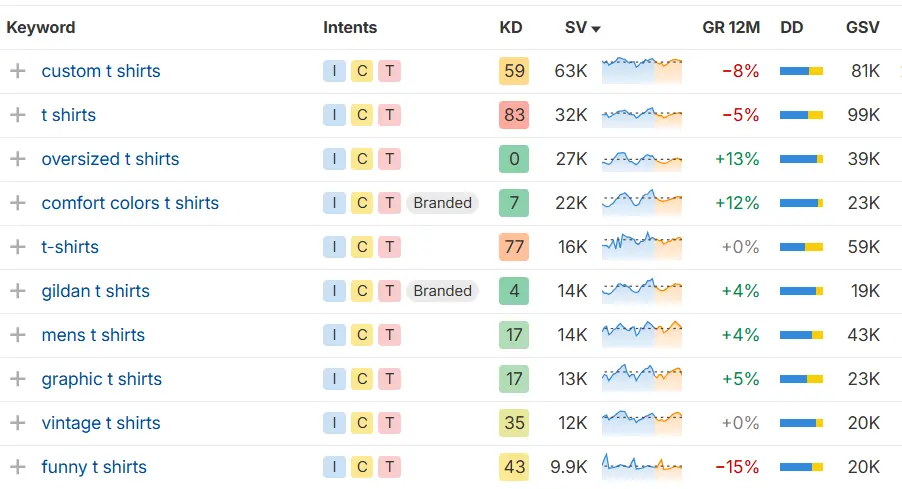
However, most of the time, these tools focus on main category keywords. They can help you:
- Create new categories
- Optimize existing categories
- Occasionally discover good filter ideas with sufficient search volume
Identify Target Filters on Your Platform
This is the part we’ll focus on. Suppose you have an e-commerce site with a wide variety of products. You’ve set up all necessary filters in the database (color, sizes, etc.), and now you want to identify exactly which filters should be indexed.
This method is simple and can be applied using basic tools to help you find the right filters to index.
Steps:
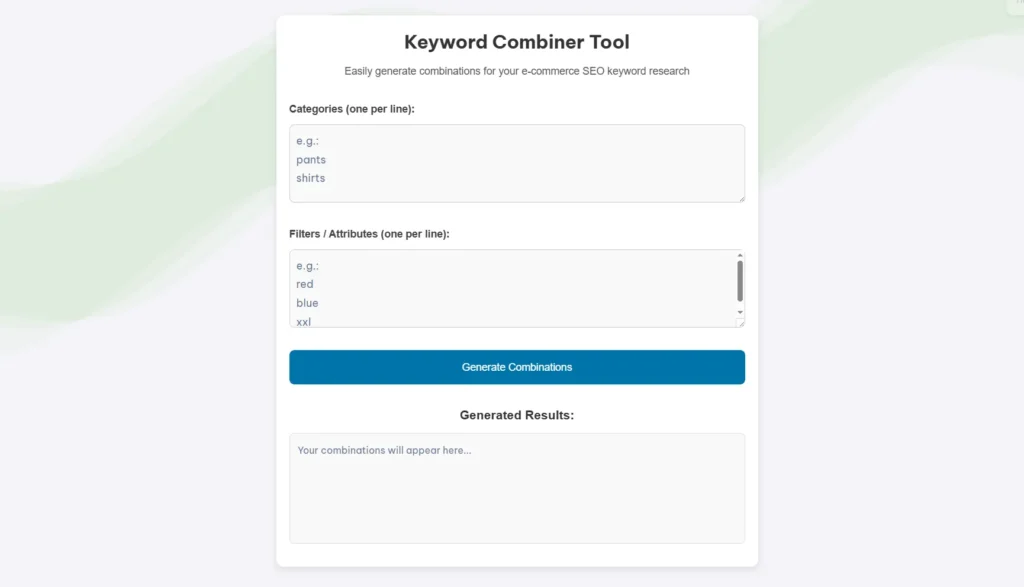
1. Open the Keyword Combiner tool.
2. Open the category you want to analyze. Example: “laptops.”
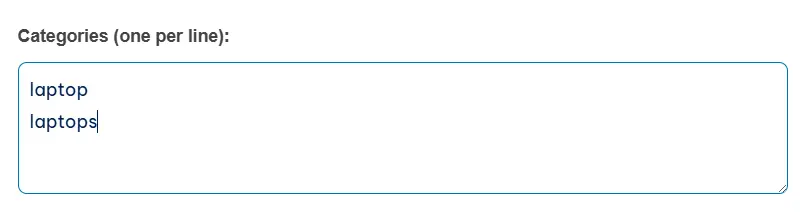
3. In Keyword Combiner, add both the singular and plural forms: laptop / laptops.
4. Use a tool to extract anchor texts from URLs, such as Magic Anchor & URL Grabber, Linkclump (or other).
5. On the category page, extract the filter anchors (brand, type, operating system, etc.)
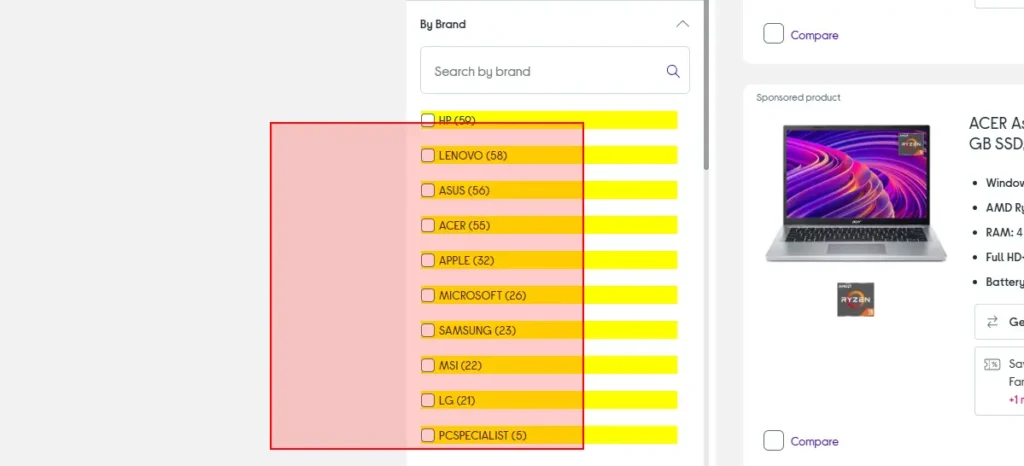
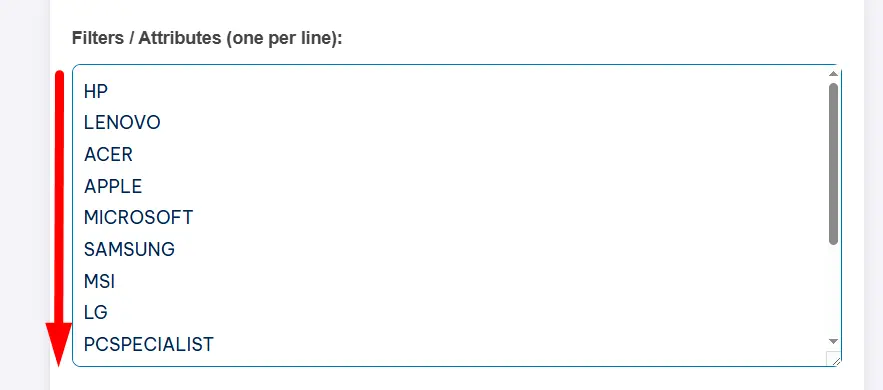
and paste them into Keyword Combiner, in filter section:
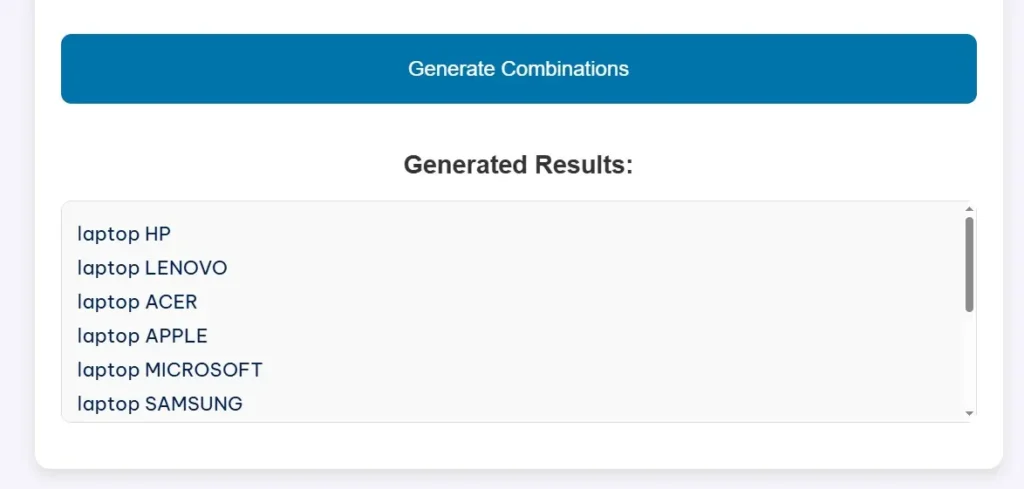
Then you generate the words and all the combinations of category (singular and plural) + filter (facet):
6. You can repeat this process for multiple categories until you’ve covered them all.
This method is useful when you don’t have backend database access. If you do have access, you can directly extract category and filter names from the database and combine them in Keyword Combiner without manually going through each category.
Once you’ve generated category + filter combinations, use a keyword research tool (Ahrefs, SEO Monitor, etc.) to check the monthly search volume for each combination. This will give you a clear picture of which existing filters on your site have meaningful search demand and therefore should be indexed.
P.S.:
Even if you’ve identified the right filters and have the necessary infrastructure to index and customize them, you need to follow one key rule: if a filter URL lists only one product, that page should remain “noindex.”
Once a second product is added, the “noindex” tag should be dynamically removed, and the filter URL should become indexable.
For maximum SEO impact, it’s also recommended to add descriptive, targeted content (LSI – Latent Semantic Indexing ) to the first page of each filter, but not to its paginated pages.
The fewer filters you index, the richer the descriptive text should be, to compensate for the lack of product content.